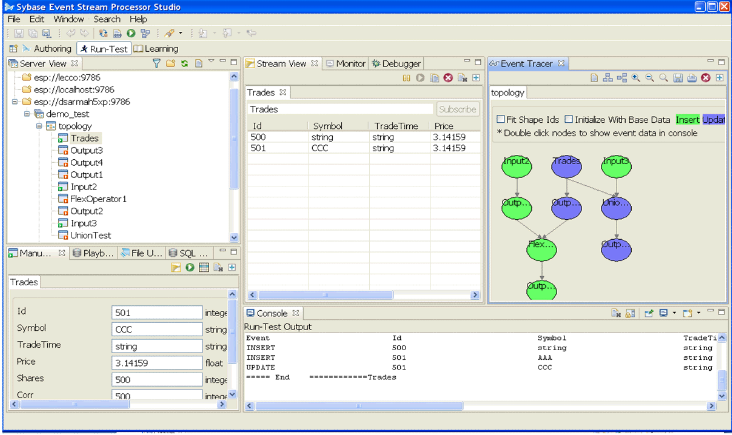
In the Run-Test perspective, access the tools used to test, debug, and fine-tune a project.
In Run-Test perspective you can:
- Start and connect to servers from the Server View
- Run projects
- Enter test data by uploading data files to a server in File Upload view, or manually entering data to a stream in Manual Input view
- Subscribe to a stream in Server View
- Publish data from a stream or window
- Execute a query against a running project in SQL Query view
- Use the Event Tracer and Debugger to set breakpoints and watchpoints, and trace the flow of data through a project
- Monitor performance in Monitor view
- Record in-flowing data to a playback file and play the captured data back into a running Event Stream Processor instance, in Playback view
The figure shows a sampling of view contents you might see in Run-Test perspective while testing a project. They do not represent the sample project created in this guide.
Run-Test Perspective