Goal: Use Sybase Control Center to register the emulator.
Prerequisites
Complete Connecting to Sybase Control Center.
- Log in to Sybase Control Center using the supAdmin/s3pAdmin user name and password.
- In Sybase Control Center, select .
- Select Device Users.
- In the right pane, click .
- Click Register.
-
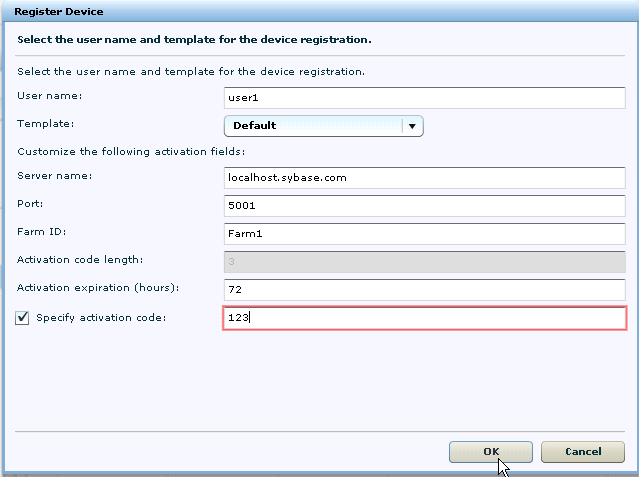
In the Register Device window, enter the required information:
- User name
- Server name
- Port
- Farm ID
- Activation code
Note: The information should match the input on the client and "localhost.sybase.com" should be the actual name of your machine and domain. - Click OK.