Goal: After you submit the travel request, verify that the information was updated in the database.
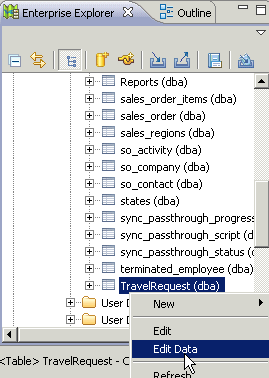
- In Tables, right-click the TravelRequest table and select Edit Data.
Goal: After you submit the travel request, verify that the information was updated in the database.