Goal: Generate code for the BlackBerry device application, then debug it in Eclipse.
Prerequisites
Installing the BlackBerry Java Plug-in for Eclipse
Task
- In the Device Application Designer toolbar, click the Verify icon
to verify the device application design.
If any errors appear, you must fix them before you can generate the code. - Once you have verified the device application, in the Device Application Designer toolbar, click the Generate Device Application icon
.
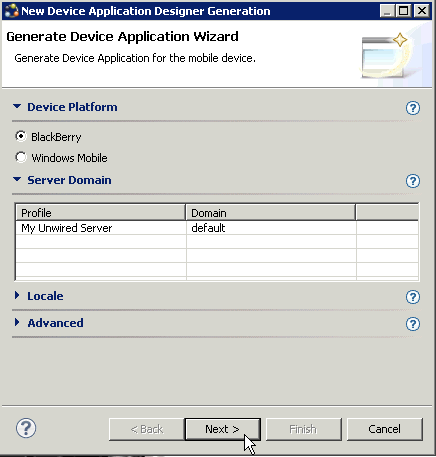
- Accept the defaults by clicking Next.
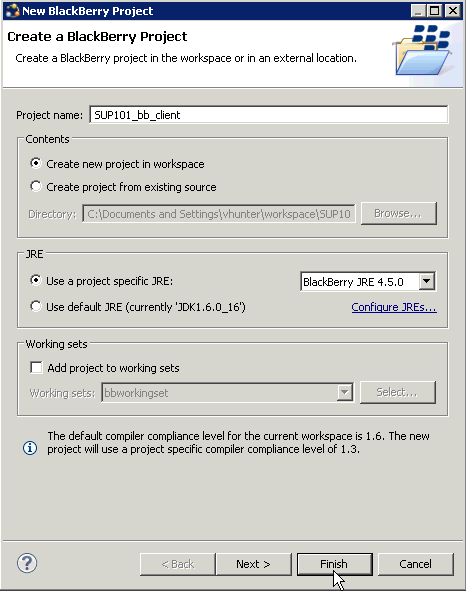
- In the New BlackBerry Project wizard:
- Enter: SUP101_bb_client as the project name.
- Select Use a project specific JRE, then choose BlackBerry JRE 4.5.0 from the list.In this tutorial, you select BlackBerry JRE 4.5.0 because that is the JRE that contains the files for the BlackBerry 8800 Simulator the tutorial uses. The JRE specified should be one that contains the BlackBerry Simulator you want to use for your project.
- Click Finish.You are returned to the Generate BlackBerry Application wizard.
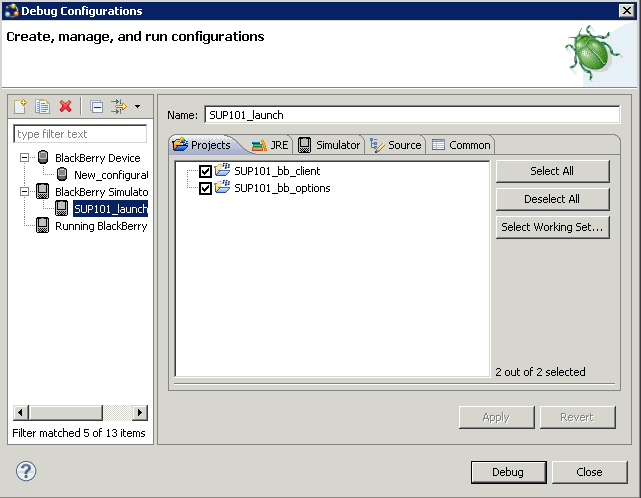
- In the Projects tab, select the SUP101_client and SUP101_options projects.
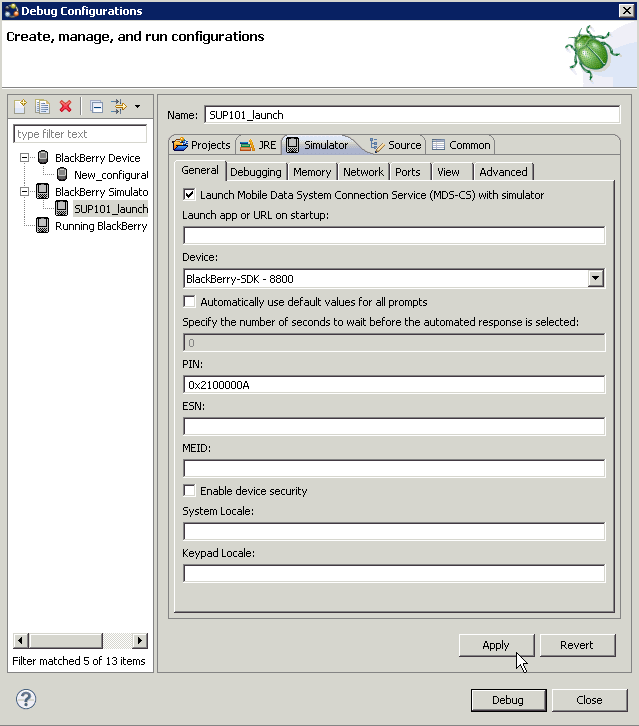
- Select Launch Mobile Data System Connection Service (MDS-CS) with simulator and select BlackBerry-SDK-8800 as the device.
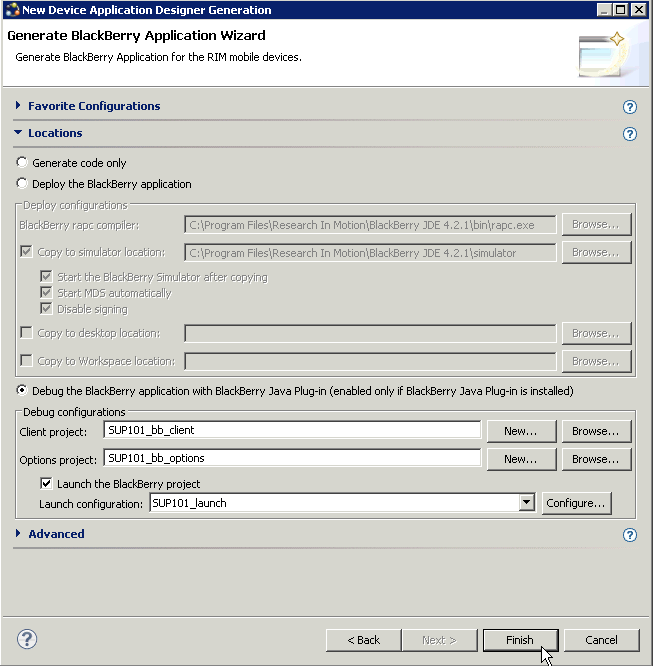
- In the New Device Application Designer Generation wizard, click Finish. After clicking Finish:
- The Launch window appears and shows the progress.
- The Console view opens.
- The MDS starts.
- The BlackBerry Simulator launches.